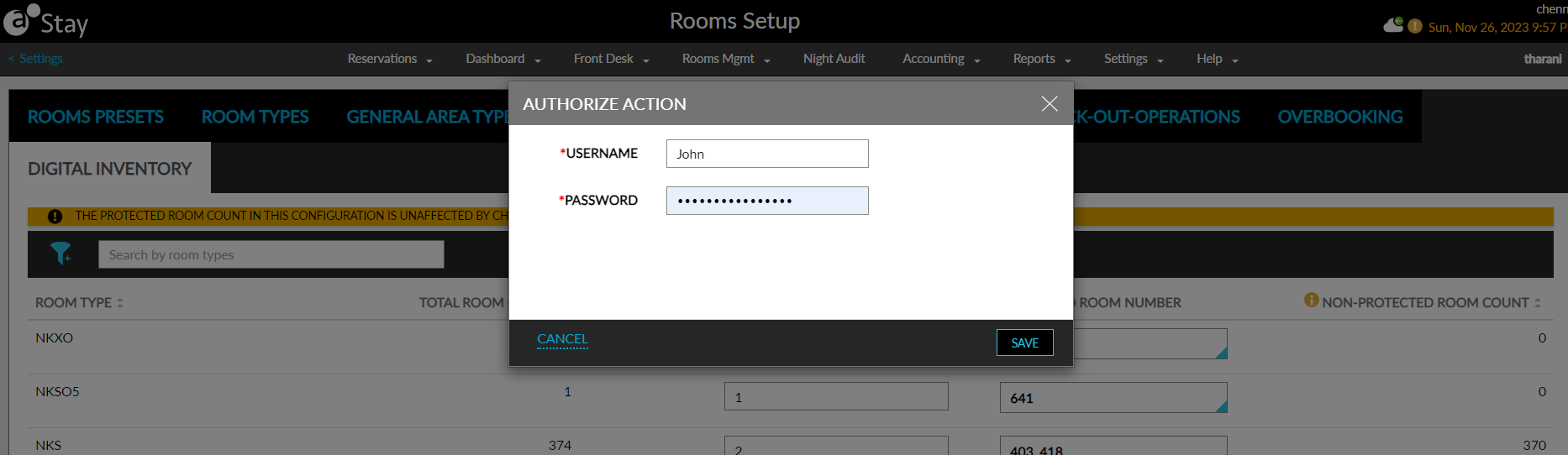
Digital Inventory
Users can protect the inventory from automated digital check-in by entering the count to be protected for a reservation in this tab. This will be displayed only when the Automated Digital Check-In feature setting is enabled. The following columns are displayed in this tab:
|
Column |
Description |
|---|---|
|
Room Type |
Displays all the room types available at the property. This column cannot be edited. Users can filter and search records based on room types. |
|
Total Room Count |
|
|
Protected Count |
|
|
Protected Room Number |
|
|
Non-Protected Room Count |
|
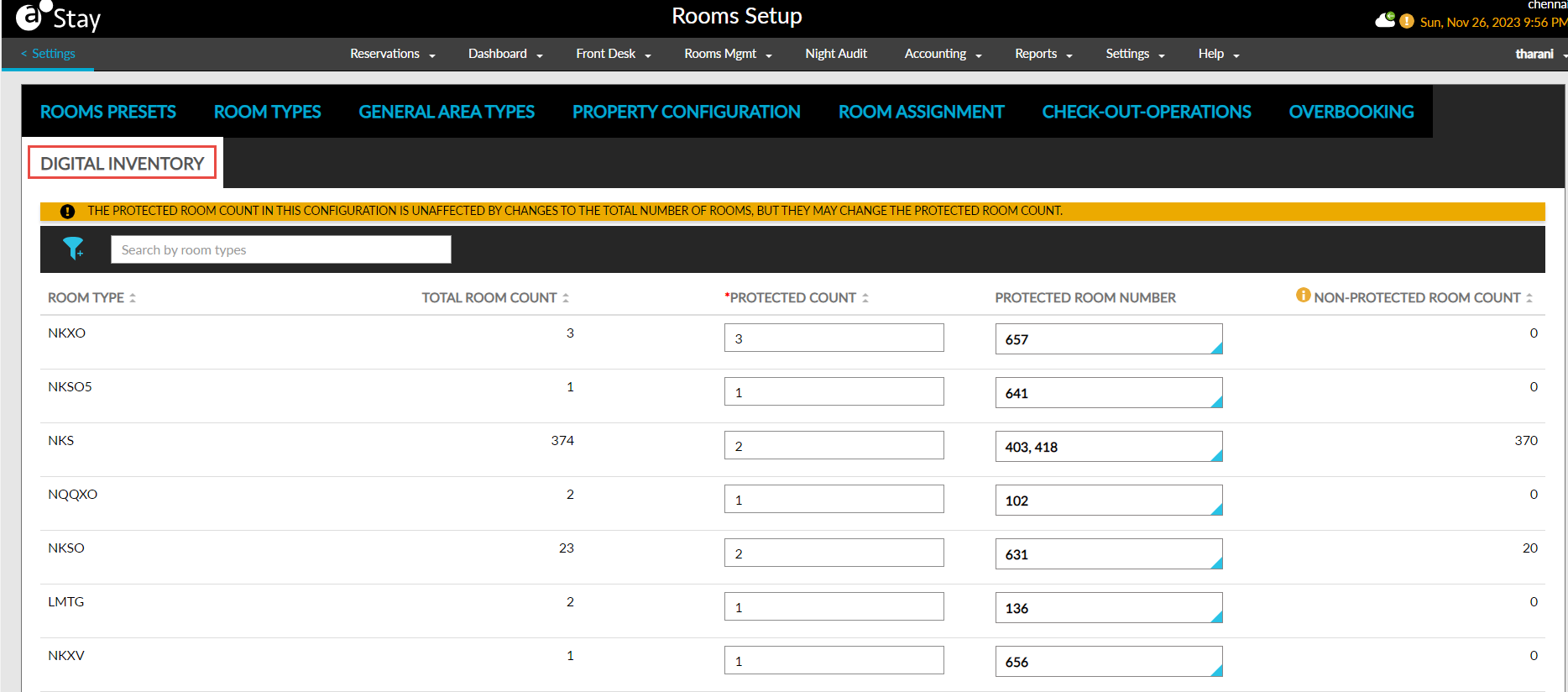
When users click Save, the Authorize Action pop-up screen appears that prompts users to enter their credentials. When the user does not have the required permissions, the message, User does not have the appropriate permissions/ credentials to complete this task, is displayed.